
Roblox Login Problems And Easy Solutions
Roblox today in the digital gaming era is not just a game but has become a complete creative platform where millions of players daily build their virtual worlds and interact with friends. Its reason for popularity is its “User-Generated Content,” which offers something new for players of every age. But imagine, after a long tiring day, you turn on your computer to play your favorite game and suddenly face a “Wrong Password” or “Loading Error”? When you are missing an important event or gameplay, being unable to access your account can truly be frustrating and disappointing.
But the good news is that Roblox login problems are very common and are often easily fixed with simple troubleshooting steps. Most issues are temporary, such as server maintenance, internet connectivity, or an outdated app which you can solve yourself at home with a little understanding. The purpose of this guide is to inform you about those real reasons and provide practical solutions through which you can regain fast and secure access to your account. So let’s move ahead, without wasting time, toward those easy methods that will take you back into the world of gaming.
What is Roblox Login Problems?
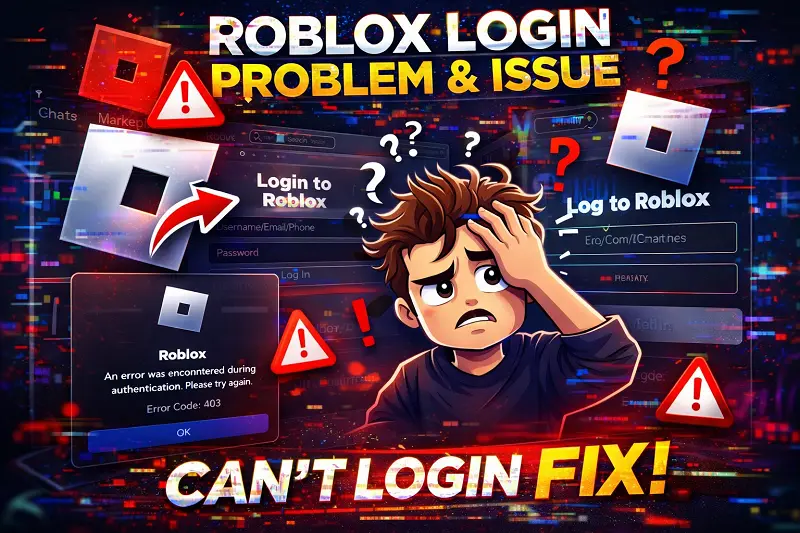
Roblox login problems are essentially the technical obstacles that prevent players from accessing their accounts. These issues often include errors like “Invalid Username or Password,” not receiving verification codes (2FA), or the app repeatedly crashing. Sometimes these problems occur on the user’s side (such as poor internet connection or forgotten passwords), and sometimes they happen because Roblox’s own servers are down. Their main purpose is to ensure account security, and with the right troubleshooting steps, they can be resolved within just a few minutes.
Some Common Issues in Roblox Login
Login issues on Roblox can have many reasons, sometimes due to server problems and sometimes because of our own settings. Whenever login fails, an error code or message often appears on the screen that tells us where the actual problem is. Below, we have explained in detail all the common issues that users face during login:
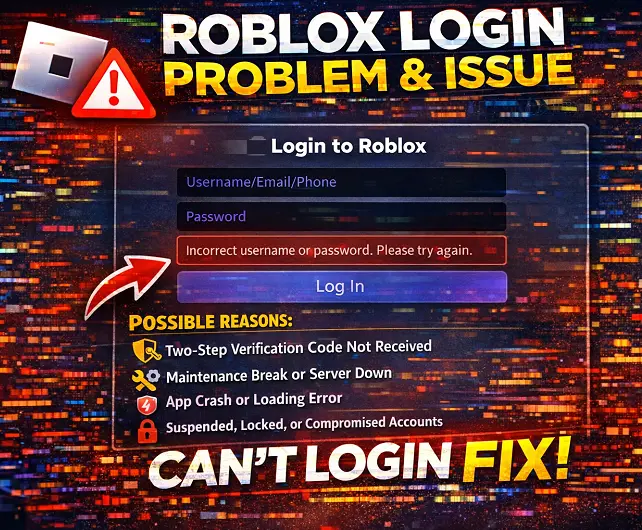
Wrong Password or Username Error
This is the most common issue, often caused by spelling mistakes or having “Caps Lock” turned on. Sometimes users change their old password to a new one, but the browser keeps the old password saved, which causes the “Invalid Login” error to keep appearing. For this, you should always recheck your credentials.
Two-Step Verification (2FA) Code Not Received
2FA is an excellent feature for security, but sometimes the verification code from Roblox is not received via email, or the authenticator app fails to sync. This issue often happens due to slow internet or the email going into the “Spam Folder,” which prevents the user from entering their own account.
Maintenance Break or Server Down
Sometimes the problem is not in your device but in Roblox’s own servers. When Roblox releases a major update or the servers experience heavy load, they temporarily go down. In such cases, a “Site Offline” or “Service Unavailable” message appears, and the only solution is to wait until the Roblox team fixes it.
App Crash or Loading Error
Often on mobile or PC, the Roblox app crashes right after opening or gets stuck on the loading screen. This can be caused by overloaded cache memory, lack of storage, or an outdated version of the app. Until the app loads properly, reaching the login screen is not possible.
Suspended, Locked, or Compromised Accounts
The most serious issue occurs when the account shows as “Banned” or “Suspended.” This happens when there has been a violation of Roblox’s terms of service for example using of roblox mod menu. Additionally, if a hacker gains access to your account compromised, they change the password, which results in you being locked out of your own account.
Solutions for Roblox Login Problems
When you face a login issue, instead of worrying, adopting step-by-step troubleshooting is the smart approach. Most of the time, these problems are so minor that they do not require any technical expertise just the right knowledge of settings is enough. The solutions given below are designed to remove all the common obstacles that interrupt your gaming experience on Roblox. By following these simple methods, you can not only restore your account but also learn how to avoid such issues in the future.
Incorrect Username or Password – How to Fix
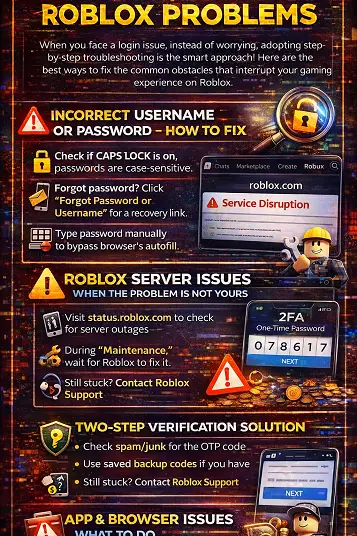
If you are getting an “Invalid Login” error, first check whether “Caps Lock” is on, because Roblox passwords are case-sensitive. If you forgot your password, click on “Forgot Password or Username” and enter your email or phone number to receive a recovery link. Often, an old password remains saved in the browser, so it is better to type it manually once and check. If the issue still does not resolve, resetting the password is the best and safest solution.
Roblox Server Issues – When the Problem Is Not Yours
Sometimes your internet and password are perfectly fine, but Roblox’s own servers experience “Outage” or “Maintenance.” In that case, you can visit Roblox Status to check whether the servers are online or not; if it shows “Service Disruption,” it means the problem is from Roblox’s side. During maintenance, you can only wait because no trick will work until their system is restored. These issues usually occur during major game updates or events and are fixed within a few hours.
Two-Step Verification Solution
2FA is essential for security, but if you are not receiving the OTP (One-Time Password), first check your email’s “Spam” or “Junk” folder. Sometimes network delays cause the code to arrive late, so instead of repeatedly clicking “Resend,” it is better to wait a little to avoid confusing the system. If you saved backup codes, use them; otherwise, you will need to contact Roblox support and verify your identity. Always try to keep multiple recovery options such as an authenticator app and email active for 2FA.
App & Browser Issues – Quick Fix Guide
If the Roblox app is not loading or keeps crashing, first clear your browser or app “Cache” and “Cookies” so old temporary data is removed. Always check that you are using the latest version of Roblox; if not, update it or uninstall and reinstall it completely. Sometimes browser extensions such as AdBlockers interfere with the login process, so temporarily disable them or try a different browser. For mobile users, freeing up phone storage can also be a simple and effective solution.
Account Locked or Suspended – What to Do
If your account is “Locked” or “Suspended” for security reasons, it means Roblox’s system detected suspicious activity. In this case, you should immediately visit the Roblox Support Page and submit an “Appeal,” explaining in detail why your account was blocked. If your account was hacked, provide your previous billing information or original email so they can verify ownership. When contacting support, be patient because the verification process may take 24 to 48 hours to complete.
Tips to Avoid Roblox Login Problems in Future
The best way to avoid login problems is to always keep your account settings and security up to date. When your account is properly configured, not only does the risk of hacking decrease, but recovery also becomes much easier in case of technical errors. By following the useful tips below, you can keep your Roblox experience smooth and secure forever:
- Always use a Strong and Unique Password that includes capital letters, numbers, and special characters (@, #, $) so that no one can guess it easily.
- Make sure to enable Two-Step Verification (2FA) on your account because it adds an extra layer of security that prevents anyone from logging in with just your password.
- Never click on any Unknown or Suspicious Links that offer free “Robux” or rewards, as these are often phishing scams that steal login details.
- Keep the Roblox app Regularly Updated so you can benefit from new features as well as security patches that fix old bugs.
- Make sure to add a Verified Email Address and Phone Number to your account so that if you ever face a login issue, you can immediately receive a recovery code.
- Always keep your Backup Codes written in a safe place or diary so that if your phone is lost or you cannot access your email, you can recover your account.
- After logging in on any Public Computer or a friend’s device, never forget to “Sign Out,” and try to keep the “Remember Me” option unchecked.
Conclusion
It is important to understand that any login issue on Roblox is not something without a solution; most of the time, with a little understanding and the right troubleshooting steps, every obstacle can be solved within just a few minutes. Whether it is a forgotten password, a temporary server problem, or an app loading error by following the methods explained in this guide, you can return to the world of your favorite games without any difficulty. But if you are still facing any specific issue despite these solutions, write your problem in the comment section below right now, and we will fully help you solve it! Always remember that digital security and regular updates keep your gaming experience smooth and safe, so do not delay recover your account and enjoy Roblox without any interruptions!